myVEGAS Bingo - Bingo Games
PLAYSTUDIOS US, LLCBoard
4.59.62K Reviews
- Version
- 3.8.17897
- Installs
- 1.00M
- Age Rating
- Teen
Screenshots


Our Review of myVEGAS Bingo - Bingo Games
 Analysis by Appyee
I see myVEGAS Bingo - Bingo Games as a bright, social take on digital bingo: best for people who enjoy the familiar number-calling rhythm but want a more themed, game-like setting around it. Its Las Vegas presentation gives a simple pastime a sense of occasion, though the busy, reward-focused style will not suit everyone. I’d try it if I wanted a casual bingo session with a bit of community, but not if I were looking for a quiet, stripped-back game or a guaranteed way to earn something valuable.
What the Vegas setting adds
The setting is more than a decorative backdrop when it works well: themed rooms give sessions a change of mood, and the colorful presentation makes the game feel less like a plain digital card. That helps when I want a short break that feels lively without having to learn a complicated strategy. The trade-off is that anyone who prefers a minimal interface may find the extra atmosphere distracting rather than inviting.
It is also worth keeping the rewards in perspective. The appeal of loyalty points is part of the game’s hook, but I would treat them as a bonus, not as the reason to play or as a dependable source of savings. Before spending time chasing a particular reward, I’d check the current in-app details and decide whether the bingo itself is enjoyable enough. That simple test keeps the experience fun even if a reward is not immediately useful.
A good fit for small pockets of free time
A realistic use case is a few rounds while waiting for a ride, sitting through a quiet lunch break, or unwinding at home after dinner. The basic bingo format is easy to pick up, so I can return without having to relearn a complicated ruleset. Still, it is a game to open when I can give it attention: tracking called numbers and cards is less relaxing if I’m trying to multitask or keep checking the clock.
For a more social session, I’d invite someone who already enjoys bingo and agree to play at the same time. That gives the social features a practical purpose instead of leaving them as background decoration. If the people I know are not interested, the game can still be played on its own, but the community angle may matter less to me than the individual rounds.
How it compares with other bingo games
Compared with a basic bingo app, this one leans harder into themed rooms, rewards, and social play. That broader presentation can make it feel more like a casual mobile game than a digital version of a quiet bingo night. A plain alternative is likely the better choice if I want fewer distractions, a faster route to a card, or no interest in social and reward layers. On the other hand, people who enjoy a sense of progression around bingo may find the extra framing gives them more reason to return.
It is a free board game from PLAYSTUDIOS US, LLC, with a Teen age rating. The game has a 4.5 average from around 54,000 ratings and has passed a million installs, so it has clearly found an audience. I would still judge it by my own tolerance for its presentation and optional purchases rather than popularity alone. It runs on Android 7.0 or later, and the current version is 3.7.17824. In-app purchases range from $0.99 to $119.99 per item, so I’d keep an eye on purchase prompts and set a spending boundary before playing if that matters to me.
Small choices that make sessions smoother
One useful habit is to decide before opening the game whether I’m playing for a quick round or settling in for a longer session. That makes it easier to avoid drifting from casual play into chasing points or rewards. I’d also take a moment to explore the available room and mode choices rather than repeatedly entering the same kind of game; variety is most valuable when I use it to match my mood, not when I treat every option as something I must complete.
For anyone wondering whether purchases are necessary, I’d start free and see whether the pace feels comfortable. Optional spending can change how much a player puts into the experience, and the listed item range reaches well beyond an impulse purchase. If I found myself considering a purchase just to keep a session going, I’d pause and come back later instead. That is a better fit for a casual bingo game than spending to avoid a moment of impatience.
Immersive Gameplay Experience
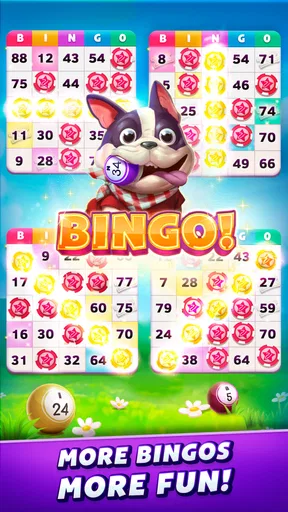
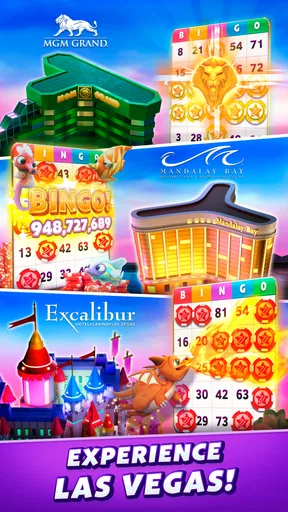
First off, the gameplay on myVEGAS Bingo - Bingo Games is super engaging. The graphics are vibrant and fun, making each round feel like you’ve been transported to a lively Las Vegas bingo hall. From the moment you start your first game, you’re greeted with a burst of colors and animations that are sure to keep your eyes glued to the screen. It’s more than just a game; it’s an experience. Trust me, you’ll be eagerly waiting for each number to be called.
Unique Theme and Rewards
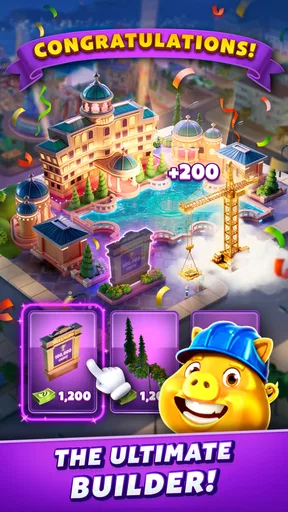
What sets this app apart from other bingo games out there is its unique Las Vegas theme. You’re not just playing bingo; you’re on a virtual trip to Vegas with each game. The app offers various themed rooms, each with its own distinct style and set of challenges, keeping the gameplay fresh and exciting. Plus, as you play, you earn loyalty points that can be redeemed for real-world rewards. Yes, you read that right! You could potentially score some awesome deals just by playing bingo. It’s like hitting the slots, but with way more bingo cards.
Social Features to Connect with Friends
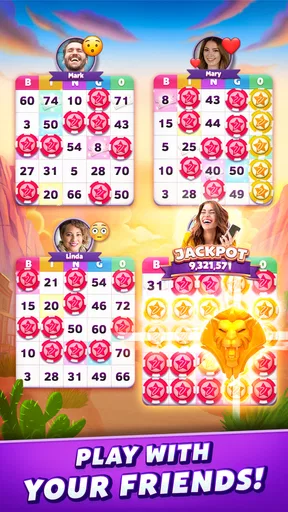
Now, what’s bingo without a little friendly competition, right? One of the coolest features of this app is its social aspect. You can connect with friends and family, join teams, and even chat with fellow bingo enthusiasts from around the world. It adds a layer of community that makes playing even more enjoyable. Whether you’re teaming up for a challenge or just sharing your latest big win, it’s always more fun with friends.
Variety of Game Modes
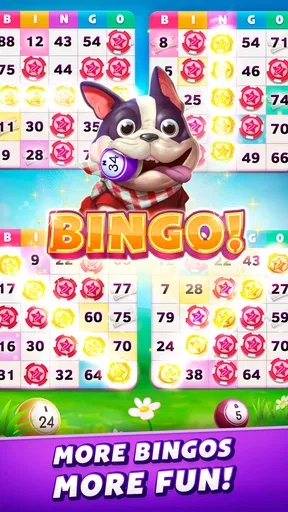
If you think bingo can get monotonous, think again. myVEGAS Bingo - Bingo Games offers a variety of game modes to keep things interesting. From classic bingo to exciting variations like blackout and pattern bingo, there’s something for everyone. And if you’re feeling particularly adventurous, try your luck at the High Roller rooms where the stakes—and the rewards—are higher. It’s a thrilling way to test your bingo prowess!
User-Friendly Interface
I have to give a shoutout to the app’s interface. It’s intuitive and user-friendly, which means you won’t have to spend ages figuring out how things work. Whether you’re a tech whiz or someone who struggles with smartphones, you’ll find navigating through the app a breeze. Everything is laid out in a way that makes sense, and the tutorial is helpful without being overwhelming.
Frequent Updates and New Content
One thing I really appreciate about myVEGAS Bingo - Bingo Games is the frequent updates. The developers are constantly adding new content, whether it’s new rooms, new challenges, or seasonal events. This keeps the game feeling fresh and gives players something to look forward to. There’s always a new reason to come back and see what’s new, ensuring that boredom is never an option.
Who I’d recommend it to
My recommendation is strongest for bingo fans who want more than a bare card-and-caller setup: the Las Vegas theme, different modes, and social layer give the familiar format extra texture. It can also suit someone new to bingo who wants an approachable way to learn the rhythm. If you mainly want a calm solo pastime, dislike colorful presentation, or would rather avoid reward systems and purchase prompts altogether, a simpler bingo game is likely a better match.
The game was released on March 14, 2021, and its current version is 3.7.17824. Those details are useful context, but they do not tell me whether its style will click with you; I’d focus on whether you enjoy the room themes and the social elements. Its Teen rating is another practical point to keep in mind when choosing a game for a younger player.
Getting the most from a first session
I would begin with the tutorial, then try a familiar mode before sampling the variations. That makes it easier to tell whether a different pattern is genuinely enjoyable or merely looks novel. When a room has a higher-stakes feel, I’d approach it as an optional change of pace rather than a necessary upgrade. The useful question is not whether a room sounds more exciting, but whether its session suits the amount of time and attention I want to give the game.
For social play, I’d keep expectations flexible. Connecting with friends or joining a team can make a round feel shared, but it works best when other people are actually available and interested. If I only have a few minutes, solo play may be simpler; if I have a longer break, chatting or coordinating with others can add a welcome layer. This makes the social side a genuine option rather than a requirement for enjoying the core bingo.
Where the friction can show up
The same extras that distinguish the game can also make it feel busier than traditional bingo. A player who wants to focus only on number calls may not care about themed rooms, points, challenges, or chat. I would also avoid assuming every session will feel equally relaxed: the more I focus on progression or rewards, the easier it is to turn a casual game into something that feels like a task. Taking breaks and choosing a mode for enjoyment rather than obligation helps preserve the light feel I want from bingo.
There is a practical difference between the game being free to start and the experience having no spending decisions. Optional in-app purchases run from $0.99 to $119.99 per item, so I’d treat any purchase as a deliberate choice, not part of the basic rules of bingo. A parent or guardian choosing it for a teen should likewise consider the age rating and the presence of in-app purchases before handing over a device.
My final take
So, if you’re looking for a bingo app that’s packed with fun, offers great rewards, and keeps you connected with friends, give myVEGAS Bingo - Bingo Games a try. It’s a delightful mix of classic bingo and modern gaming that’s sure to keep you entertained for hours. Plus, who wouldn’t want the chance to earn real-world rewards just for playing bingo? Go ahead, download it, and let the good times roll!
I’d make that recommendation with one qualification: the rewards are an extra, not a promise that every player will find something worthwhile, and the social features are most useful when friends want to join in. If those parts appeal and you like a lively presentation, this is a distinctive way to play bingo on a phone. If you prefer quiet, uncomplicated rounds, choose a more straightforward alternative. For me, its best quality is how it wraps familiar bingo in a more social, themed experience without asking the player to learn an entirely different kind of game.
Verdict
Strengths of myVEGAS Bingo - Bingo Games
- Engaging graphics and animations.
- Frequent updates keep gameplay fresh.
- Variety of bingo rooms to explore.
- Rewards linked to real-world casinos.
- User-friendly interface.
Limitations of myVEGAS Bingo - Bingo Games
- Requires internet connection to play.
- In-app purchases can be costly.
- Ads can be intrusive at times.
- Limited offline features.
- Game can be repetitive after a while.
Other Releases by PLAYSTUDIOS US, LLC
View All
Tetris® Block Party
Puzzle4.8
Similar Picks in This Category
View All
Ludo King®
Gametion4.1

Ludo
Yarsa Games4.6

Tile Master® - Matching Game
Higgs Studio3.6

Checkers Online
CC Games4.6

Dominoes
Loop Games4.7

Chess
Chess Prince4.6
Frequently Asked Questions
What is myVEGAS Bingo and how does it differ from other bingo games?
myVEGAS Bingo is a unique bingo game that combines traditional bingo gameplay with exciting Las Vegas-style elements. Unlike standard bingo apps, myVEGAS Bingo offers players the chance to earn real-world rewards such as hotel stays and dining experiences in Las Vegas. The game features various bingo rooms, each with its own theme and special power-ups to enhance gameplay.
Is myVEGAS Bingo free to play, or does it require in-app purchases?
myVEGAS Bingo is free to download and play, offering a variety of bingo rooms and features at no cost. However, the game does include in-app purchases that allow players to buy additional chips, power-ups, and other in-game items. While these purchases can enhance the gaming experience, they are not mandatory to enjoy the game.
What types of rewards can I earn by playing myVEGAS Bingo?
By playing myVEGAS Bingo, players can earn loyalty points that can be redeemed for real-world rewards. These rewards include discounts and complimentary offers for Las Vegas hotels, restaurants, shows, and more. The game partners with various Las Vegas establishments, providing a wide range of reward options to suit different preferences.
Can I play myVEGAS Bingo with friends, and if so, how?
Yes, myVEGAS Bingo allows you to play with friends through its social features. You can connect the game to your Facebook account to invite friends, join teams, and participate in team challenges. Playing with friends can enhance the experience, as you can share power-ups and strategies to win more rewards together.
What are some of the key features that enhance gameplay in myVEGAS Bingo?
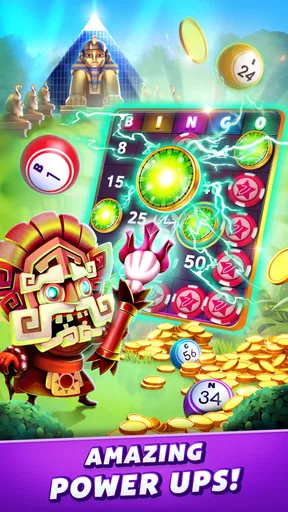
myVEGAS Bingo offers several key features to enhance the gaming experience. These include themed bingo rooms with unique settings, power-ups to boost your chances of winning, and collectible items that unlock special bonuses. Additionally, the game frequently updates with new events and challenges, keeping the gameplay fresh and engaging.
Play our best games!


